Multiple audio formats
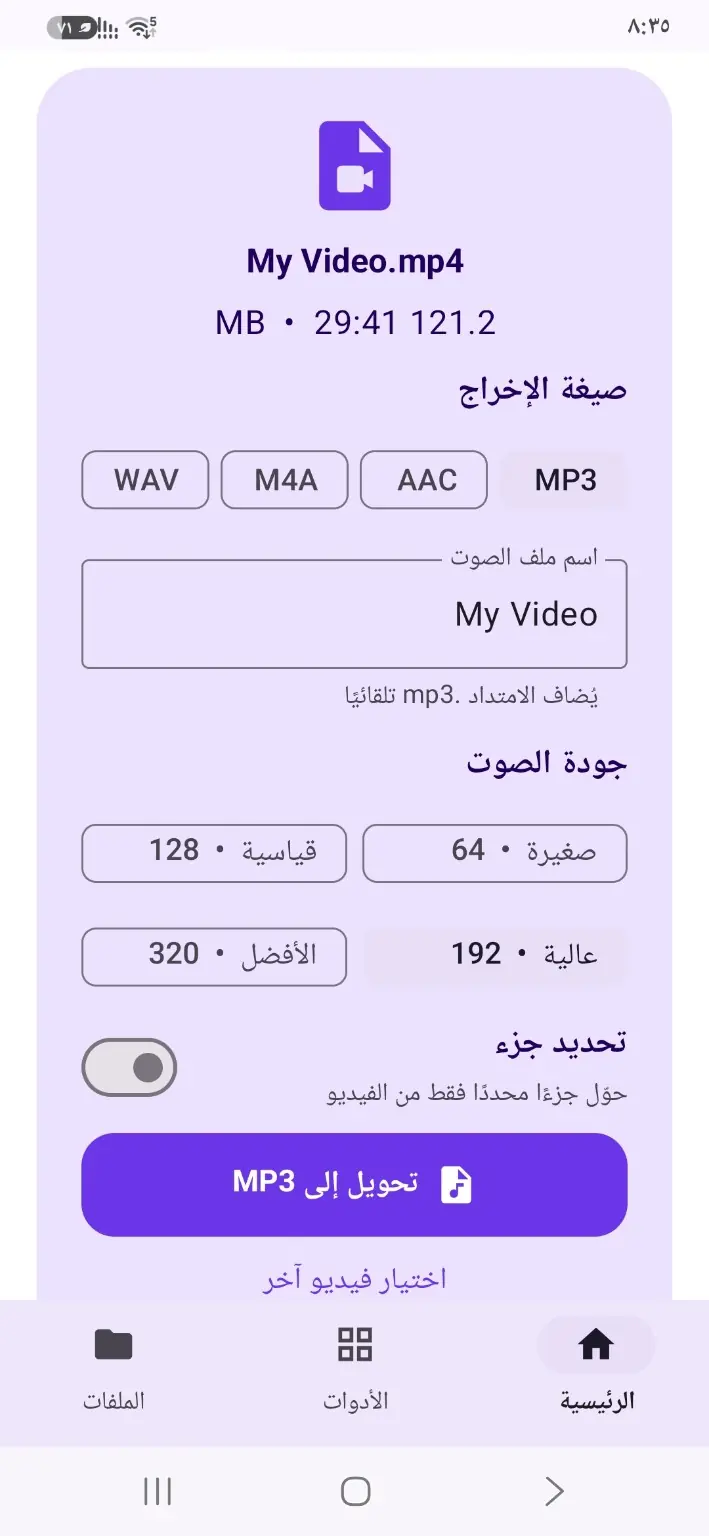
Choose MP3, WAV, AAC or M4A to fit your needs.
VidTune extracts audio from your videos in MP3, WAV, AAC or M4A. Choose the output quality, convert the clip you need, and play or share the result.
Get VidTune on Google Play ↗
Choose MP3, WAV, AAC or M4A to fit your needs.
Select an output quality that balances sound and file size.
Use the trim option to extract audio from only part of a video.
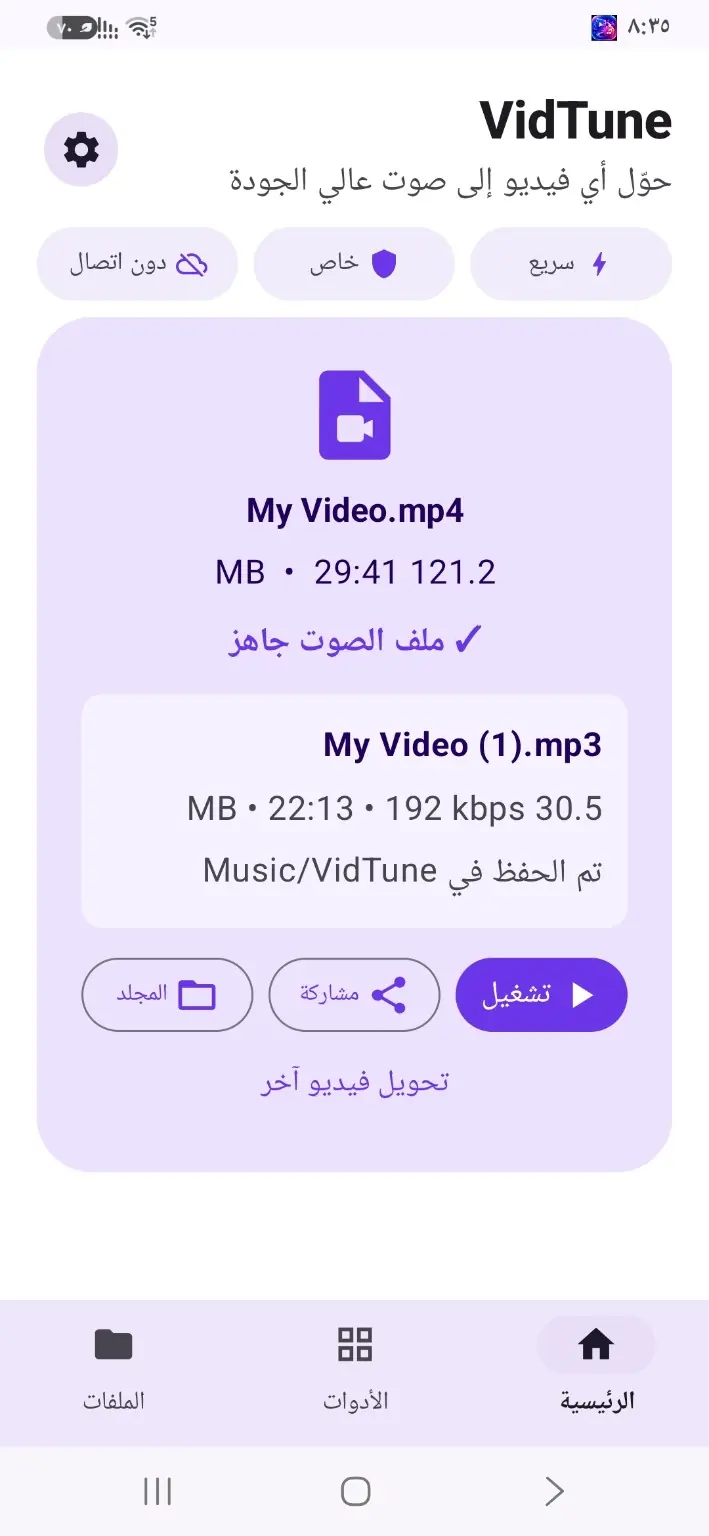
Play your converted audio, share it, or open its saved folder.
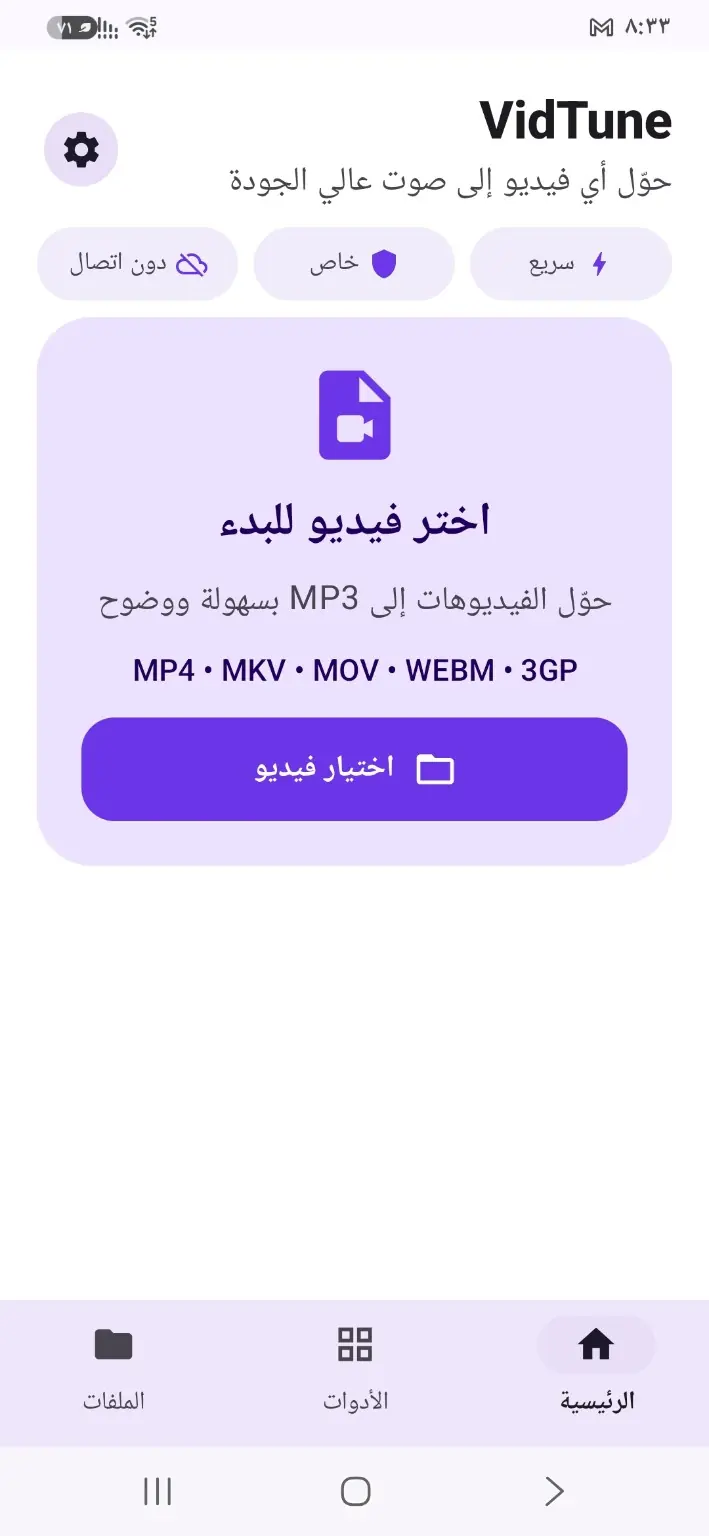
Choose a video from your Android phone.
Select the audio format and quality, and optionally trim the clip.
Convert the video, then play or share your audio file.
Core conversion functions can be used without an internet connection.
The conversion screen offers MP3, WAV, AAC and M4A.
The result screen shows the save location and provides an option to open the folder.
VidTune extracts audio from your videos in MP3, WAV, AAC or M4A. Choose the output quality, convert the clip you need, and play or share the result.
Get VidTune on Google Play ↗